 Webdesiz
kadikoykahve
Sponsored
 Cafe
Cafekadikoykahve Weekdays 2-5 pm: coffee and dessert together for 120 TRY.
Sample scenario
250 TRY/day budget · 38 messages
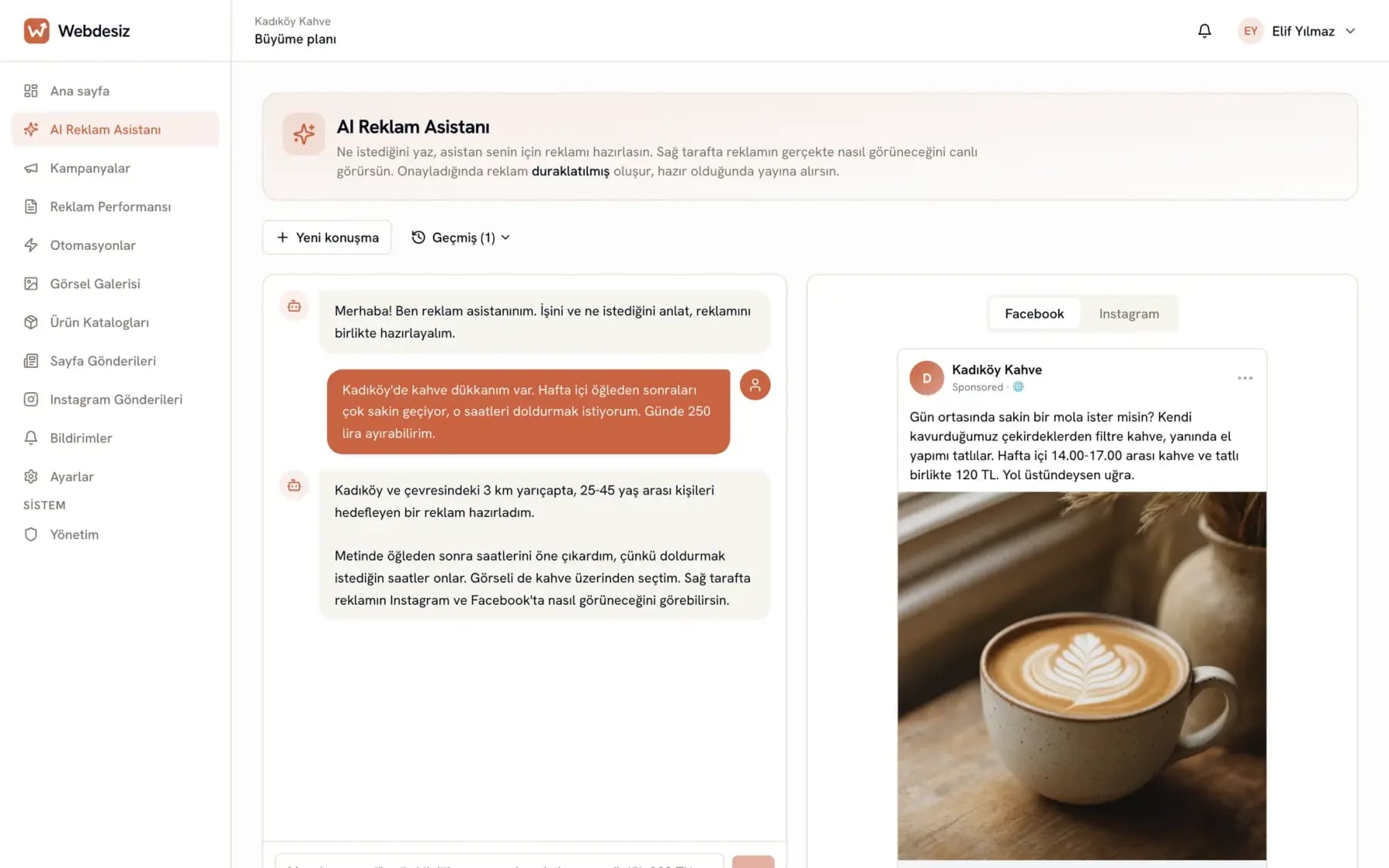
Describe what you want and the assistant prepares your Facebook and Instagram ad. The copy, image and audience come ready; you approve, the panel follows up on the rest.
Setup in 3 minutes · No card required · Cancel anytime
Writes the copy
In your audience’s language, no translation feel
Creates the image
Ask for a new one if you don’t like it
Picks the audience
Age, location, interests
Shows the preview
Facebook and Instagram
Official Facebook connection
We never see your password
AES-256 encryption
Your permissions are stored encrypted
KVKK compliant
Data handled under Turkish data protection law
Human support
A real person replies
Because the system was not built for you. Meta Ads Manager was made for agencies, not for a dentist or a cafe owner.
And most of the time you cannot see who actually manages your ads or where the budget goes.
ROAS, CPM, attribution window, learning phase. You cannot decide without knowing which number to look at.
A campaign going badly does not stop when nobody is watching. You find out when the invoice arrives.
See how the panel solves this or compare it with working with an agency.
Ads that come out of the panel
The assistant prepares the copy, the image and the audience. You approve, and the ad goes live in the Instagram and Facebook feed.
kadikoykahve
Sponsored
Cafekadikoykahve Weekdays 2-5 pm: coffee and dessert together for 120 TRY.
Sample scenario
250 TRY/day budget · 38 messages

atolyekuafor
Sponsored
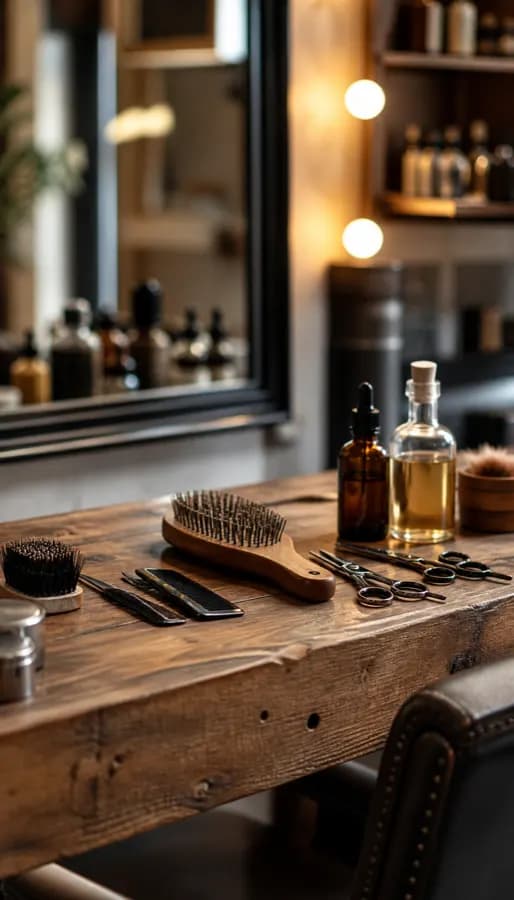 Hair salon
atolyekuafor 20% off hair care on Tuesdays and Wednesdays.
Sample scenario
200 TRY/day budget · 47 WhatsApp messages

guvenlisurus
Sponsored
 Driving school
guvenlisurus New term enrollment open for automatic-transmission licenses.
Sample scenario
280 TRY/day budget · 41 sign-up forms

ketenveork
Sponsored
 Fashion
ketenveork New season linen shirts are in. Orders ship today.
Sample scenario
400 TRY/day budget · 64 add-to-carts

formstudyo
Sponsored
 Gym
Gymformstudyo First class free. In your neighborhood, small groups.
Sample scenario
180 TRY/day budget · 31 forms

anahtaremlak
Sponsored
 Real estate
anahtaremlak Newly delivered 2+1 apartments. Gated, with parking, move-in ready.
Sample scenario
350 TRY/day budget · 19 calls

patiklinik
Sponsored
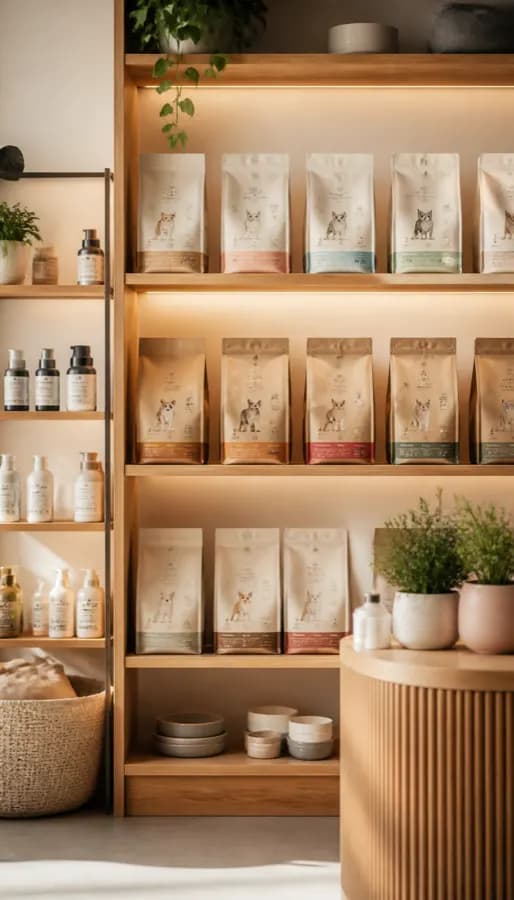 Veterinary
patiklinik Weekday appointments open for vaccines and routine check-ups.
Sample scenario
150 TRY/day budget · 26 messages
ustaotoservis
Sponsored
 Auto service
ustaotoservis Winter tire change and 21-point check in the same appointment.
Sample scenario
220 TRY/day budget · 33 calls

birgunorganizasyon
Sponsored
 Weddings
birgunorganizasyon Three dates left for June. Concept and table layout on us.
Sample scenario
300 TRY/day budget · 14 consultation requests

etutmerkezi
Sponsored
 Tutoring
etutmerkezi New term enrollment is open. Groups of eight.
Sample scenario
200 TRY/day budget · 29 sign-up forms
kahvekavurma
Sponsored
 Coffee
kahvekavurma Beans we roast ourselves, a fresh pack every week.
Sample scenario
260 TRY/day budget · 52 orders
The businesses and results above are examples prepared for illustration, not real customer data. To generate ads for your own business, open an account.
Who does the same work, how long it takes, who is in control. We put the two paths side by side.
Today
Even a simple announcement needs a brief, a meeting and a revision round. The ad goes live days later.
With Webdesiz
You type two sentences into the chat; the copy, image and audience are in front of you within minutes.
Today
Someone else writes the copy and the image. Changing a headline you do not like means another wait.
With Webdesiz
Say "make it shorter" and a new version arrives right away. Ask for a new image until you like it.
Today
You learn what happened from the report at the end of the month. You cannot see today's mistake today.
With Webdesiz
You see today's spend today. You stop a failing ad without waiting for the end of the month.
Today
When the agency changes, access, pixels and campaign history are left hanging.
With Webdesiz
The ad account stays open in your name and the history stays on Meta's side. The connection is yours.
Website analysis
In the first step of the ad wizard you type your website address. The panel opens and reads the page, works out what your business is and fills in the form for you. No staring at empty boxes wondering what to write.
Every extracted field is editable. If it misunderstood something, you overwrite it and your own sentence is what gets saved. The ad is still created paused.
Sample illustration
Product / service
Olive oil soap set
Target audience
People looking for natural skincare
Value proposition
Handmade, additive-free, made in its own workshop
Suggested button
Shop now
This is an illustration; there is no working tool here. The analysis runs in the panel, in the first step of the ad wizard, and the extracted fields go straight into the form.
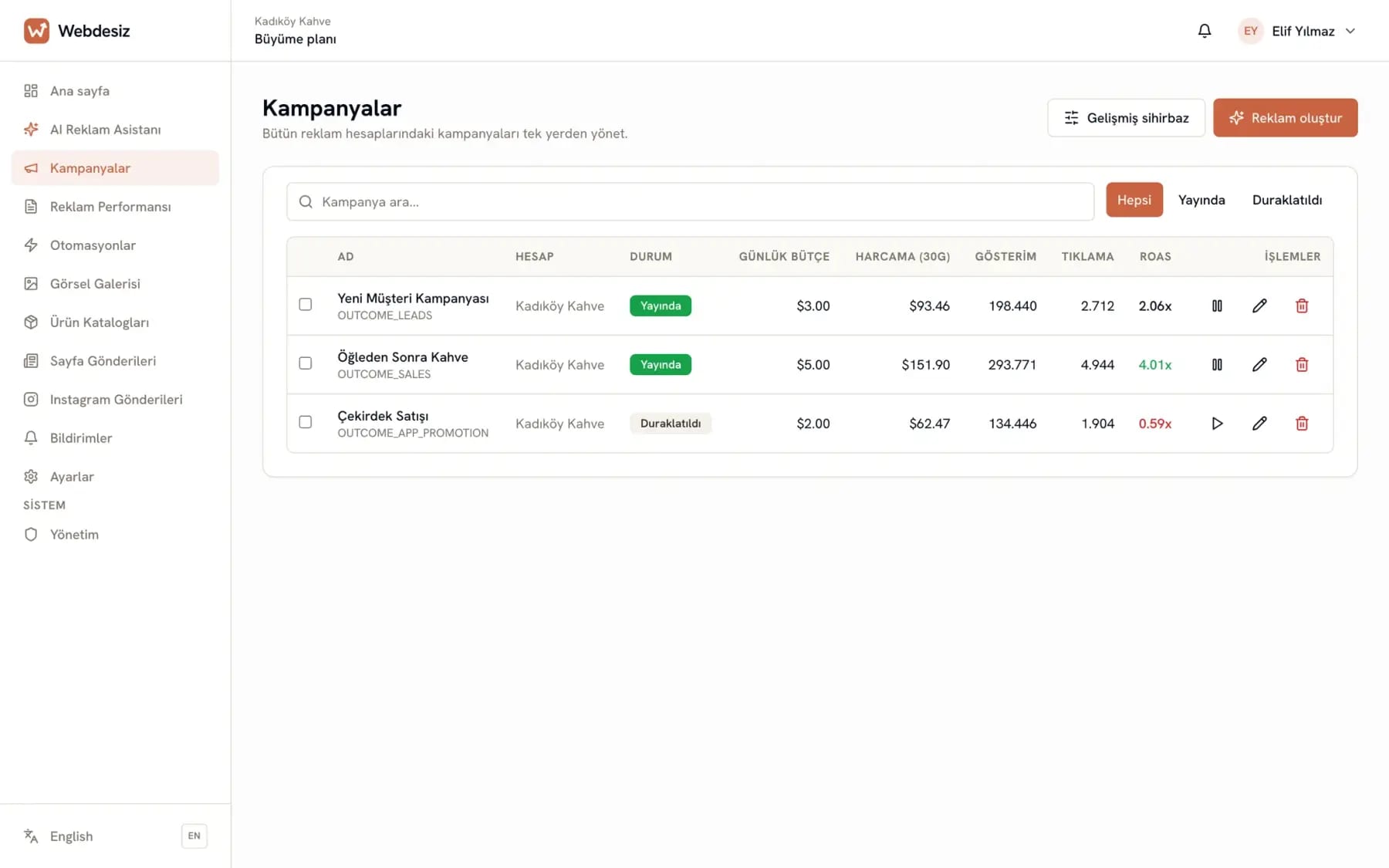
Campaign management
The ads you build with the assistant land here. Which one is live, which one is paused, how much each has spent; you see it all and switch them on or off with one click.
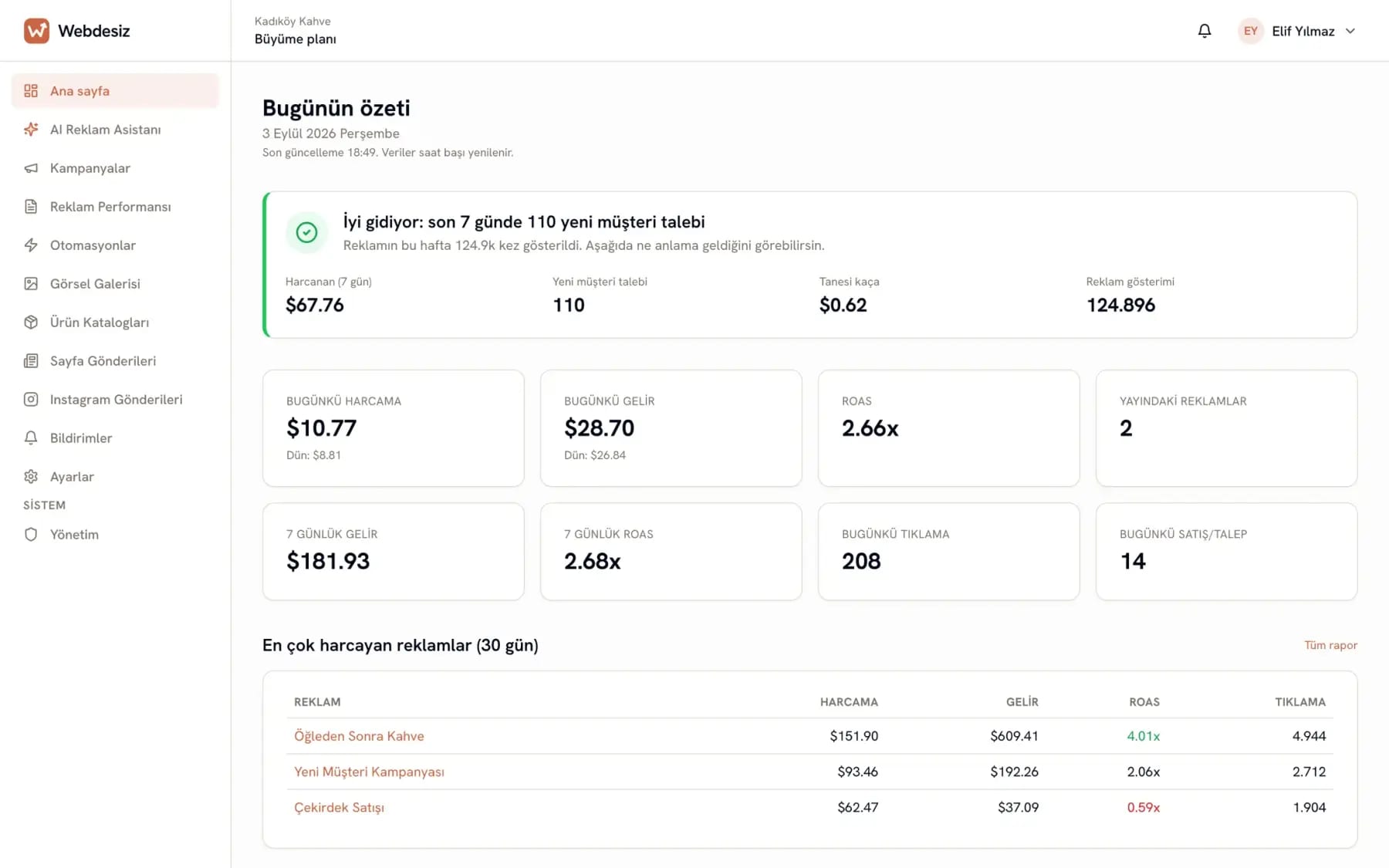
Daily summary
The panel shows you sentences, not a pile of numbers. Which ad is doing well, which one is losing money, what you need to touch today. All on one screen.
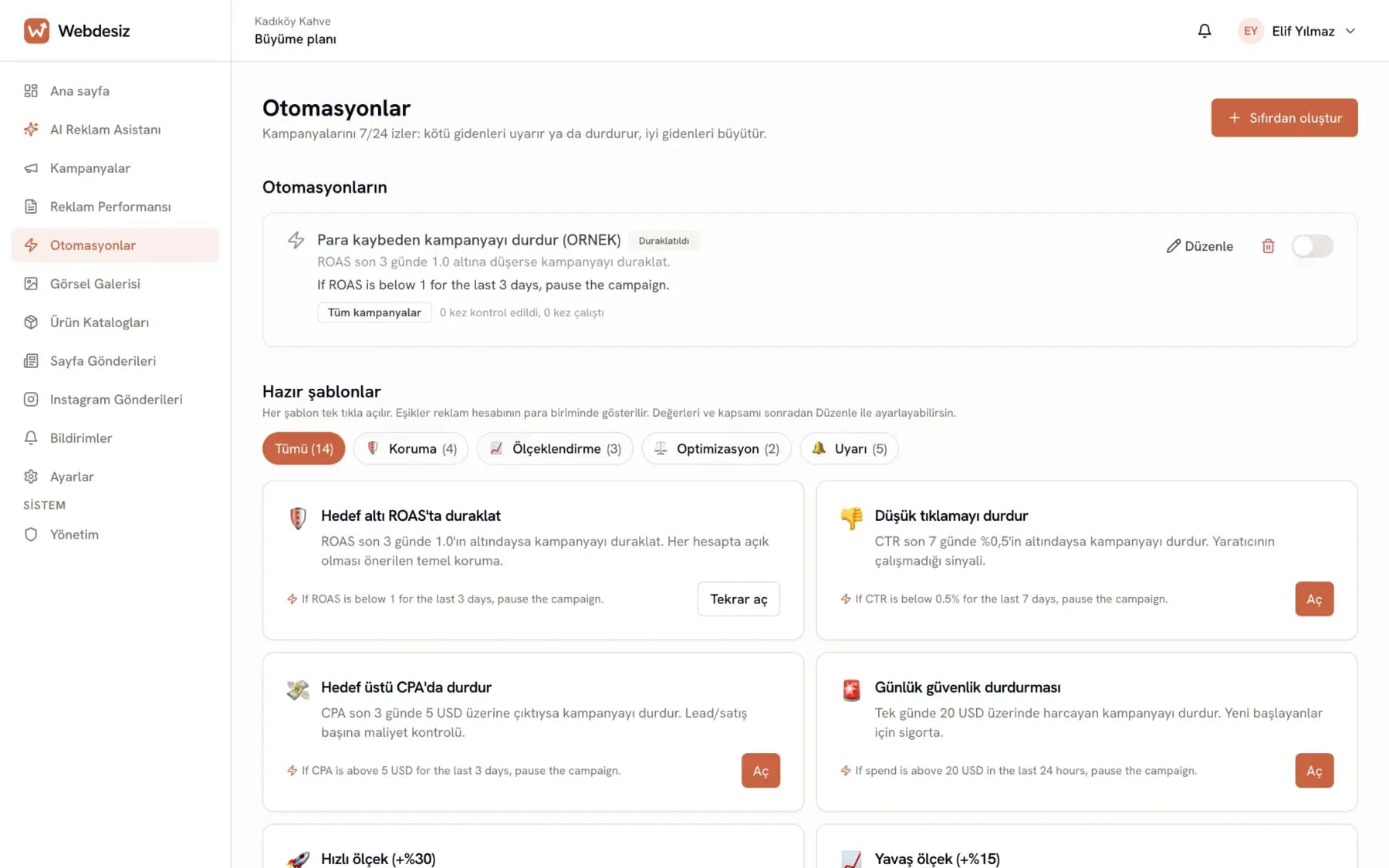
Protection rules
You set them once, then forget about them. When a rule catches its condition it pauses the campaign, cuts the budget or notifies you. You read what you set up in plain language.
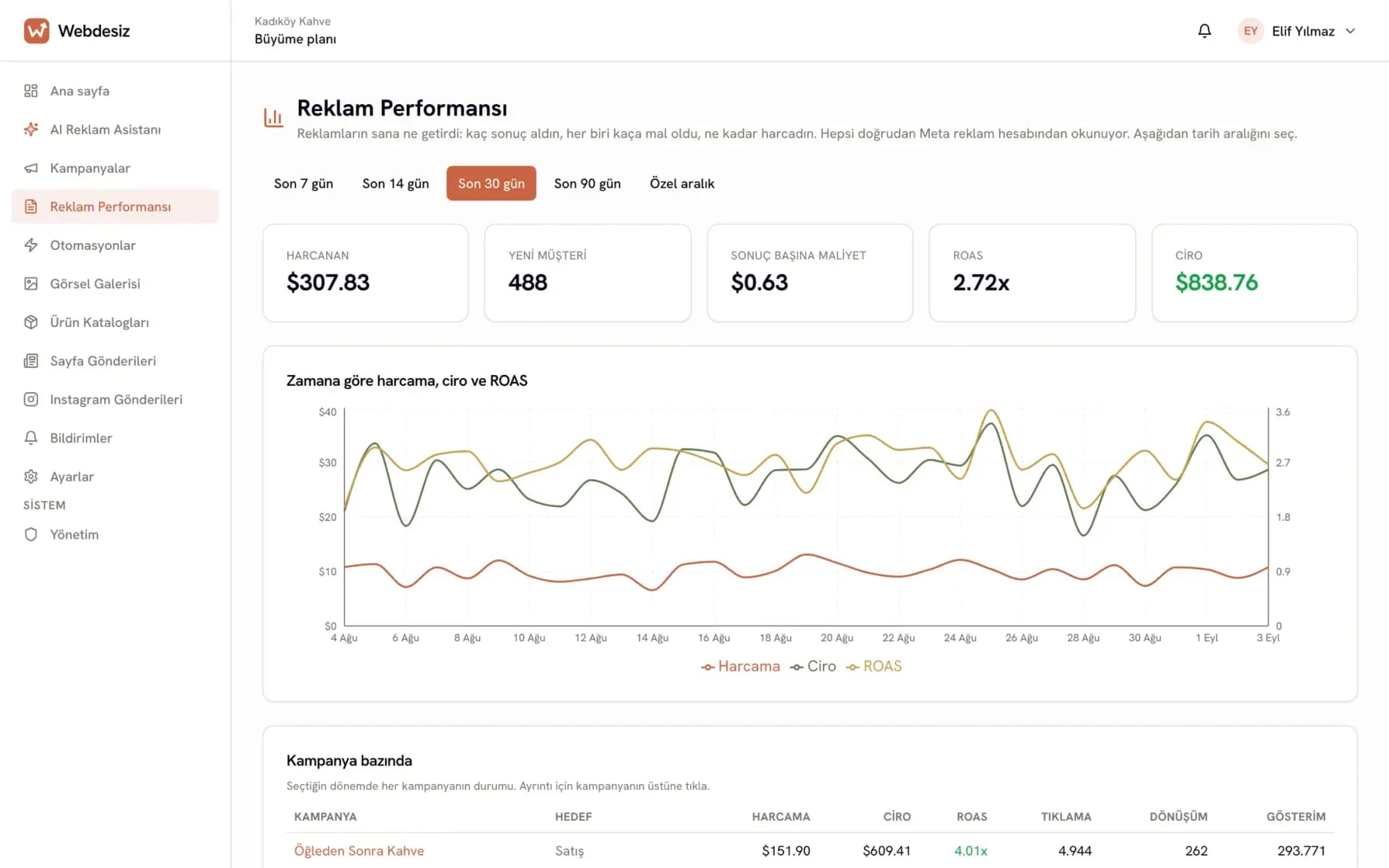
Reports
Spend, results and cost per result, campaign by campaign. Open the chart, change the period, and it becomes clear which ad is working.
You don’t need to know advertising. The only thing you need to know is your business.
Sign in with Facebook and pick your ad account. We never see your password; permissions are stored encrypted. Three minutes.
Typing "I run an online English course and want student sign-ups for the new term" is enough. The ad comes ready.
Once live, the daily summary and protection rules take over. You get on with your work.
Pick your industry and see the sample ad we prepared for that business: the copy, the image, the audience and the daily budget.
This is an example. We prepared these ads in advance; no AI is running right now. To generate ads for your own business, open an account.
Pick your industry
Tables sit empty on weekday afternoons
What they typed
I have a coffee shop in Kadıköy, Istanbul; weekday afternoons are quiet. I want to announce my filter coffee and dessert deal to people nearby.
The assistant's reply
Got it. I prepared an ad for people who live and work around the shop, pointing at the afternoon hours. You can see the copy, image and audience below. If you do not like the image, ask for a new one; you can rewrite the text in your own words.
Ad settings it configured
The ad is created paused in the panel. Not a cent is spent until you approve it.
Coffee Shop
Sponsorlu · 🌐
Weekdays between 2 and 5 pm: filter coffee with the dessert of the day. A quiet corner in Kadıköy, tables with power outlets and service that never rushes you. Drop by if you are around.
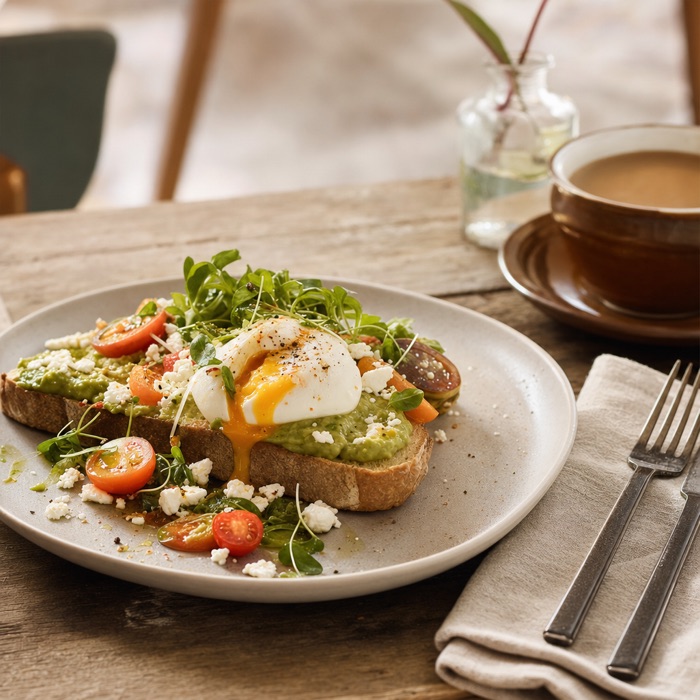
example.com
Afternoon coffee break
Kadıköy, weekday afternoons
The page name and the image are examples. In the panel you pick your own page, and if you do not like the image you ask for a new one.
Create the real thing for your business
No card required · Setup in 3 minutes · Cancel anytime
You describe your situation in your own words, the assistant builds the ad. Three examples.
Cafe
What they typed
I run a coffee shop in Kadıköy, Istanbul. Weekdays between 2 and 5 pm are quiet; I want to announce a filter coffee and dessert deal to people nearby.
What the assistant prepared
Online course
What they typed
I run an online English conversation course. I am collecting enrollments for the September term, the trial lesson is free, people can message me on WhatsApp.
What the assistant prepared
Hair salon
What they typed
I have a hair salon in Bornova, Izmir. Tuesdays and Wednesdays are quiet, so I offer a hair care discount on those days.
What the assistant prepared
Anyone for whom advertising is part of the job, but whose job is not advertising.
Ads that collect WhatsApp messages for new term enrollment.
Menu and promotion announcements to people nearby.
Ads that bring new customers and lead them to WhatsApp.
Sales-focused ads and sales tracking.
Campaigns that show your portfolio to buyers in the right area.
Announce membership campaigns neighborhood by neighborhood.
You have the right to know exactly what happens when you connect your ad account, and where everything is kept.
You grant access on Meta's own screen. Your password never reaches us; we only see the ad account you allowed.
Your access keys are never stored in plain text. They are kept encrypted and used only to manage your ads.
Remove the ad account connection with one click in Settings. You can also revoke the permission from the app settings on the Facebook side.
Your ad spend goes straight out of your own Meta ad account and Meta issues the invoice. We never sit in the middle holding your budget.
We process your data in line with Turkish data protection law (KVKK) and Meta platform rules. Which data we keep and why is listed item by item in the Privacy Policy.
Pick the monthly plan that fits your needs. No commitment, cancel anytime.
After you sign up you get a 14-day free trial, no card required. When it ends, choose a plan to keep creating and editing ads; your campaigns and data are not deleted.
For one business
If you want to run ads for your own shop, café or salon yourself, this plan is for you. It is for one business.
For agencies and consultants
For agencies and consultants who run ads for several clients.
For organisations that need to run many ad accounts from one place.
Use them without signing up; no account needed.
Yes. We use Facebook's official authorization system and never see your password. Your access permissions are stored encrypted with AES-256 and you can disconnect at any time from Settings.
Absolutely. You describe your business to the assistant and it prepares the copy, the image and the audience. The ad is created paused; not a cent is spent until you approve it.
In the language of your target audience. Ads for Turkey are written in natural Turkish for the Turkish market, not translation-flavored sentences; for other markets the assistant writes in that audience’s language. The panel itself is available in English and Turkish.
You don’t need to. The panel talks to you like "106 new customer requests in the last 7 days, 28 lira each". Anyone who wants the terms can see them in the details section.
The protection rules you set kick in. A campaign that exceeds its spend limit is paused automatically. It works while you sleep.
A few clicks. Go to Settings > Subscription, open the Stripe portal and cancel; your access continues until the end of the current period. No contract, no commitment.
Can’t find your answer? Write to us, a real person replies. Or check the help center.
Open your account and tell the assistant about your business. The ad is prepared paused; not a cent is spent until you approve.
Open a free account→No card required · Setup in 3 minutes